|
Wizards / Data Wizard: Other Formats / Data Wizard: By Rows |
This shows the use of the Data Wizard for a data file organized by row (which is quite a bit less common than organized by column).
After choosing the menu operation Data/Graphics—Data (Other Formats), choose your data file. First, select the format from the drop down box (it remembers the last format that you used), then select the file itself.
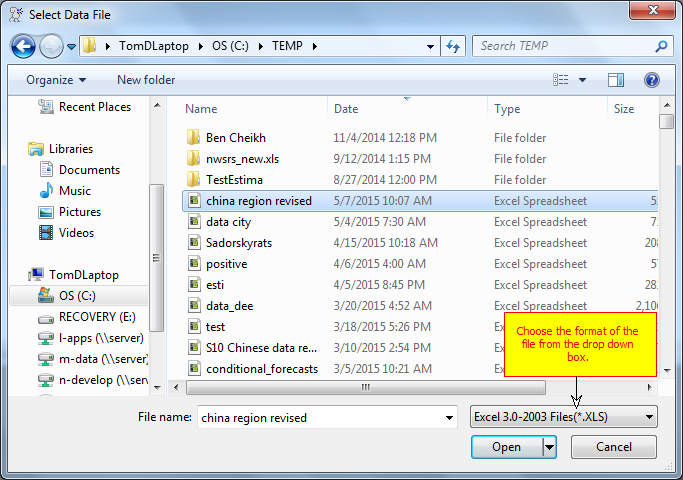
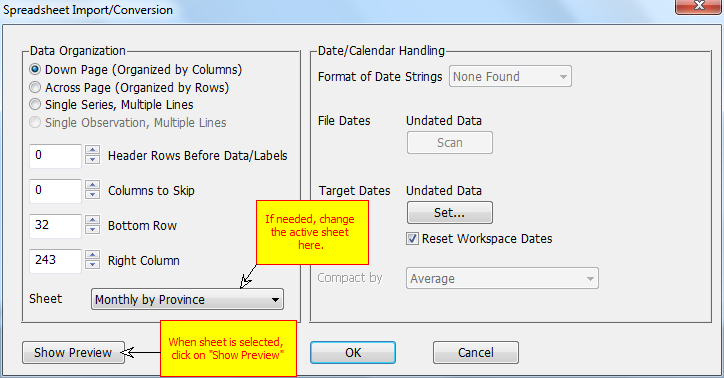
If you have multiple sheets, you can select the active sheet from the "Sheet" drop down. Once you've done that, you should click on the "Show Preview" button. That will add a view of the contents to the bottom of the dialog.
This file has variables in rows rather than columns (data in columns is more common). Make sure you select the Across Page (Organized by Rows) radio button or the data won't read properly.
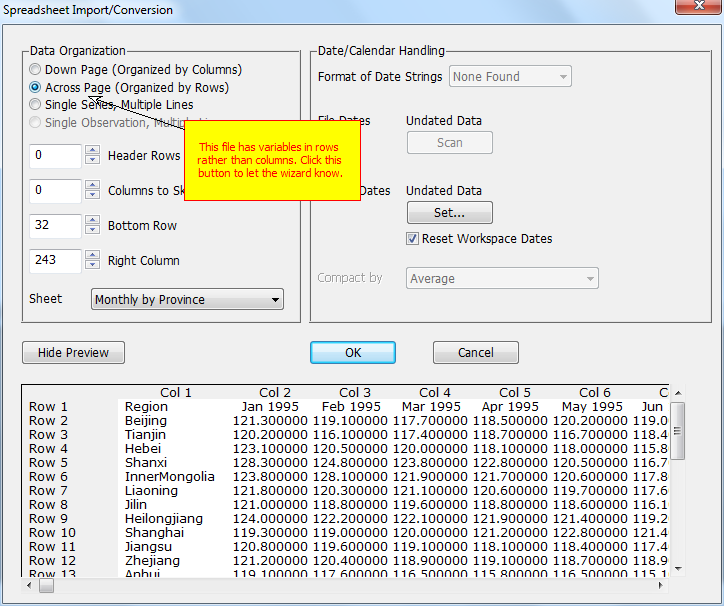
The first row has the dates, but they're not "machine-readable"---RATS can use date information if created using date functions, or can process dates in forms like strings of 1995:1. Descriptive text like this is designed to be read by humans.
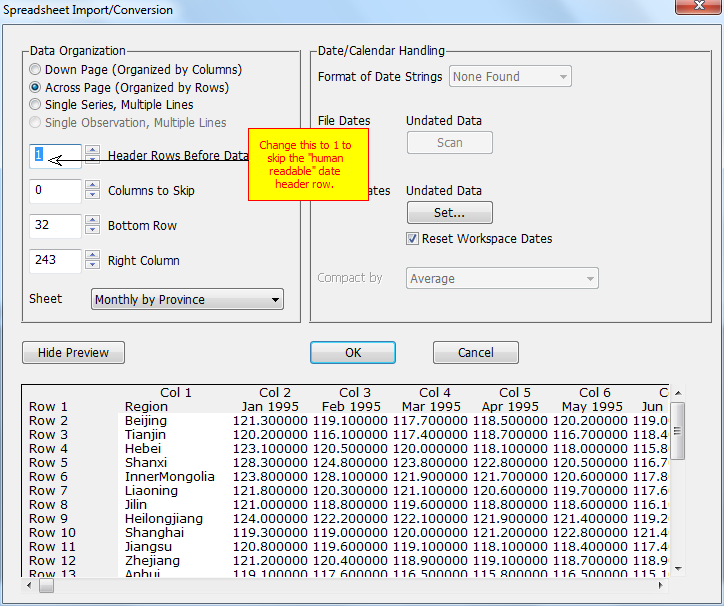
Since we can read the date information, we can use this to tell RATS that the data are monthly starting January 1995. To do that, click on the Set button under Target Dates.
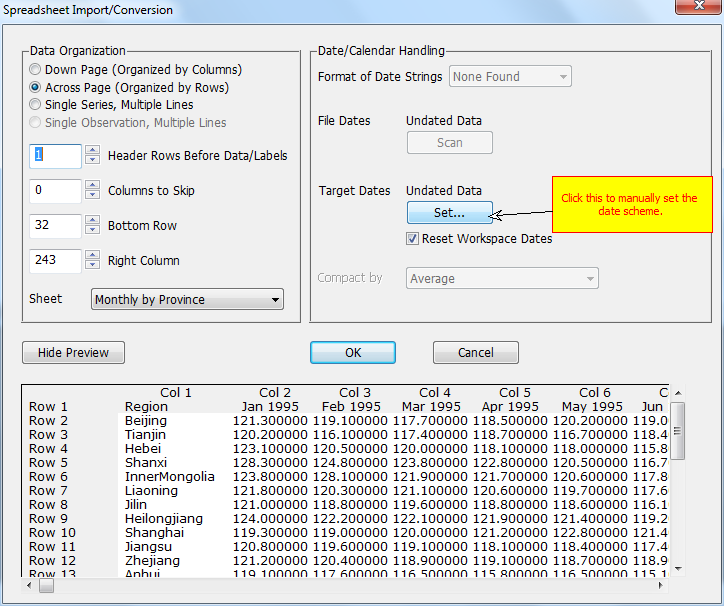
This is the dialog used for setting the date scheme. Here, we choose "Monthly" from the Standard Frequencies, and set the start year to 1995. (If the data were daily or weekly, there would be a third box for entering the starting day).
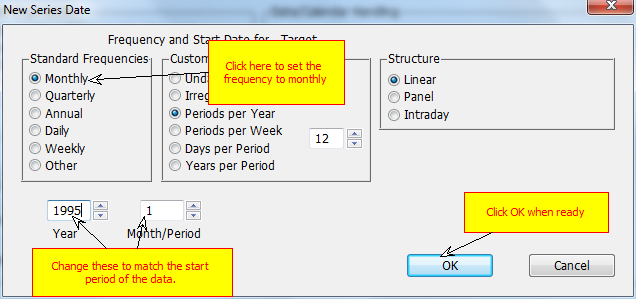
If you scroll to the bottom of the preview, you'll see that there are two rows of descriptive text (here to describe the source of the data). We don't want to read those, so we use the Bottom Row field to restrict attention to just the first 30 rows. Note that the rows that we have excluded are grayed out.
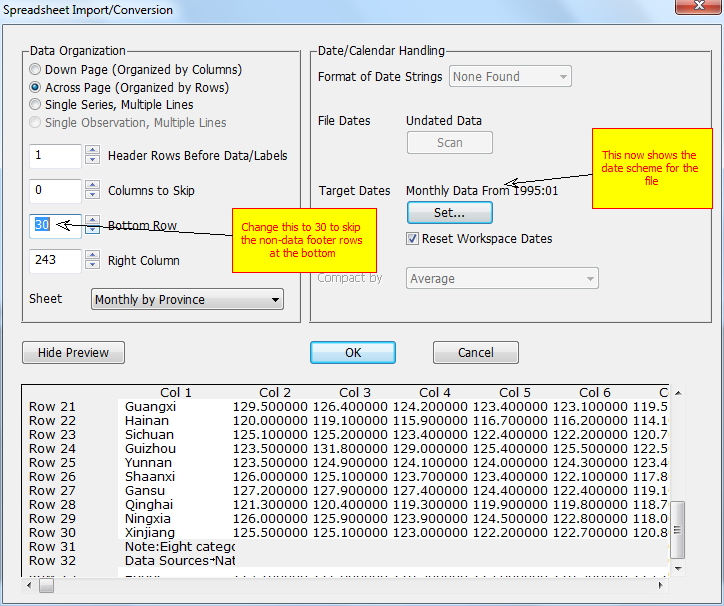
It's sometimes necessary to leave one or more columns out of the data zone which you can do with the Columns to Skip box to skip columns at the left or the Right Column box to exclude at the right. Here, we have well-formatted labels in the left column which is where the labels are expected for data which are organized by rows, so we will let the wizard handle that.
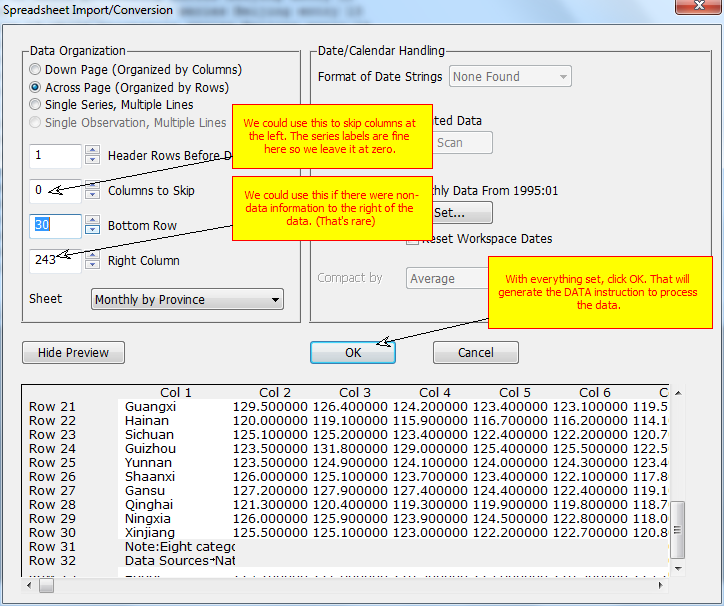
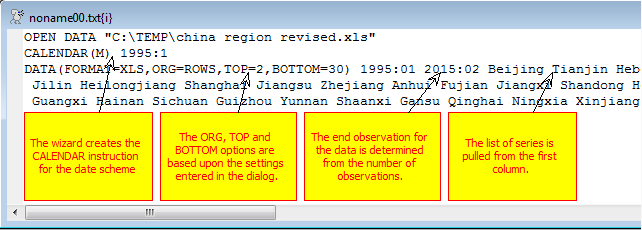
The wizard will typically generate three instructions: OPEN DATA for the file, CALENDAR and DATA. (It's possible that there won't be a CALENDAR if the data are undated). If you save a copy of this program file, you should never have to go through the wizard again with the data file, as you can just use these same three commands each time you need to read the file.
Copyright © 2025 Thomas A. Doan