Dialog Box: Define Style |
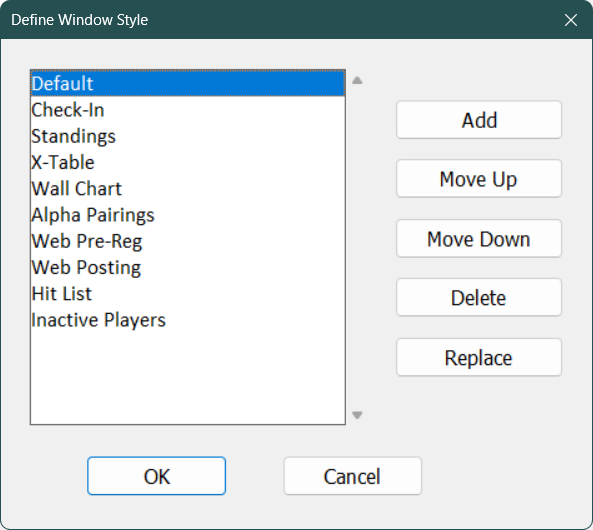
The Define Style dialog pops up when you push the Define/Edit Styles button in one of the Change Layout dialogs. It allows you to define a new style, redefine an existing style or edit the list. A window "style" consists of all the information in the parent layout (what fields are shown and the choices for the show and sort).
If you want to re-define a style, pick the style name in the scroll box and click Replace. It will pop up a box with the name. You can change the name at the same time if you wish, or you can simply click OK on that and it will redefine the style based upon the current settings in the parent window. To define a new style, click Add and iyou will be prompted for the name.
Note that style names are case-sensitive—Wall Chart and WALL CHART are considered to be different styles.
"Default", "Check-In" and "X-Table" (note those need to be exact) are the three styles used for the "P" toolbar icons in the Sections Window.
Copyright © 2026 Thomas Doan