


When you use the menu operation Players-Assign Byes... or click the Assign Byes button in the Add/Edit a Player Dialog box to assign a bye to the selected player(s), WinTD displays the following:
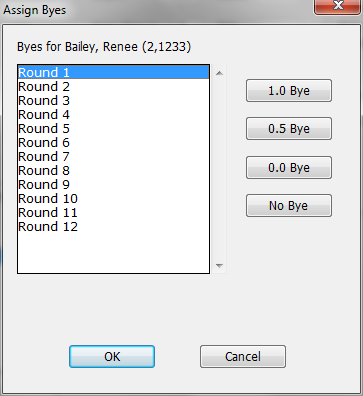
As you can see, the dialog box displays the player's name at the top, a list of rounds for you to choose from, and push buttons for assigning full-point, half-point, or zero-point byes. There is also a push-button for No Bye which can be used to clear a previously assigned bye. Click on the round in the scrolling list, then click on the button to set or reset the information. (You can only change one round at a time).
The word "Paired" in the list of rounds shows that the player has already been paired in a round. In this example, we've selected a half-point bye in round 1 for John Smith..
If we click on OK at this point, the bye will be assigned to the player. Clicking on Cancel would cancel the operation.