


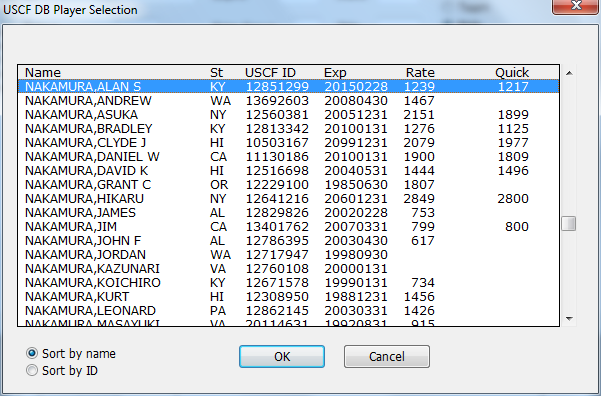
This dialog box pops up when you push the From USCF button in the Add/Edit a Player dialog box. It has a scrolling box with the current contents of the USCF database that you've downloaded. It will be positioned based upon any information that you've put into the Name or ID fields in the parent dialog box. In this case, we put Nakamura in the Name field, so it positions to the first match for the name.
Sort by name
Sort by ID
Choose which sort order you want. Depending upon which you choose, you can start typing a partial name or ID and it will reposition the scrolling list.