Dialog Box: Tournament Info |
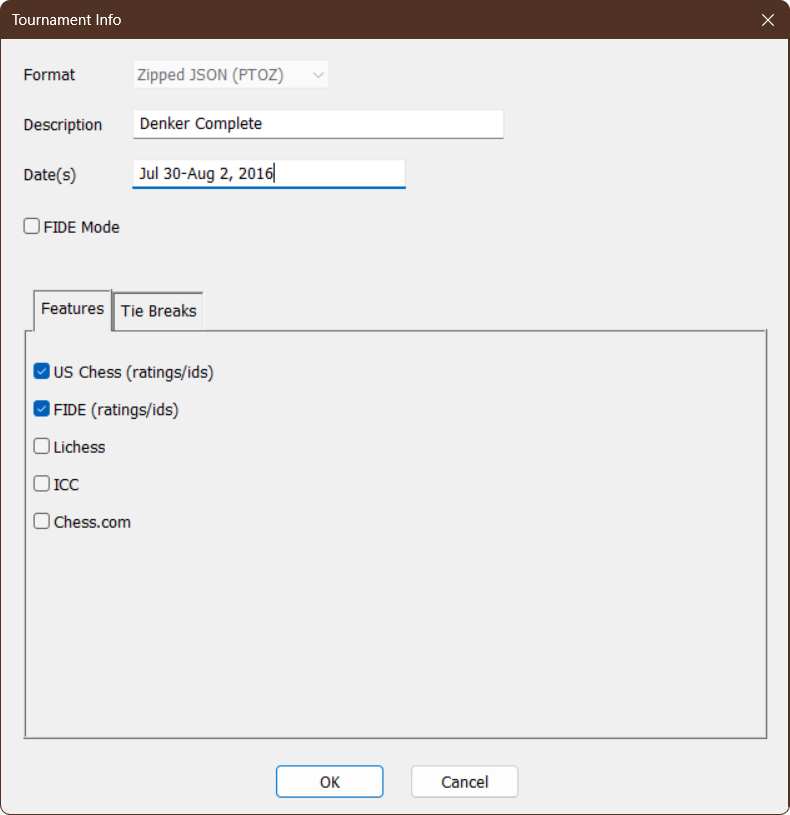
The "Tournament Info" dialog box comes up when you first create a tournament using File>New Tournament.... It is used to set the overall information for the tournament, such as the name and dates. It also sets the "features" used by the tournament. To view or modify the settings for an existing tournament, just select the menu operation File>Edit Information (the tournament file must be open).
Format
When you first create a file, you have a choice between the new format (Zipped JSON (PTOZ)) and the old format (Legacy (PTO))—we would strongly recommend that you choose the new format. Once you have created a file, you cannot change its format. (The popup box will be disabled as in the example above). An old format file can be saved into the new format using File>Save As, File>Copy To or File>Extract Sections to although it will not have all the information that would be in a similar file created directly in the new format. A new format file cannot be saved as into the old format.
Description
Enter the name or a brief description of the tournament in this text field. This information is used as the title of the Sections Window and on page headers for printed reports.
Date(s)
Enter the date or dates of the tournament here. This is just a text field, so you can enter the dates in any format.
This restricts certain operations to comply with FIDE rules.
Tabs
The remaining information is divided into different tabs. The new PTOZ format has Features and Tie Breaks tabs, while the older PTO format has Tie Breaks and Team Board Weights. (The "Team Board Weights" information is now done at the Section level in the new format).
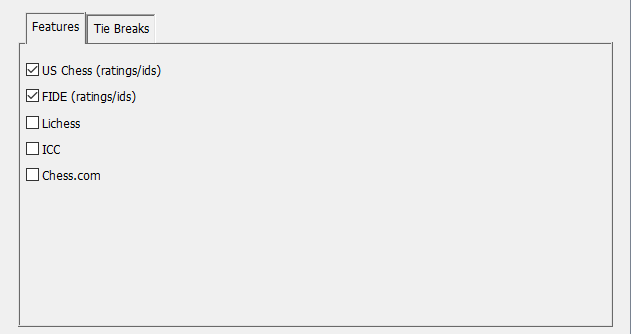
Choose which features (if any) will be used in this tournament. This controls only what specialized data WinTD will keep—it has no effect on whether or not you can (for instance), use FIDE or US Chess pairing methods. There is no particular harm in choosing features that you aren't actually going to use, but adding features does make the Add/Edit a Player dialog box more complicated by adding tabs for the additional data.
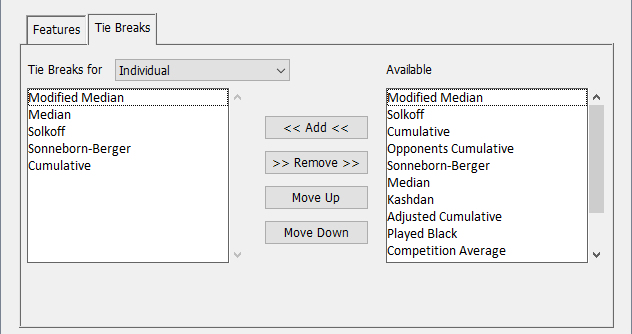
In the new format, tie breaks are chosen separately for five different purposes: Individual, Team in Indiv/Team Section, Team vs Team, Board in Team v Team, Round Robin. At the top left of the folder, there is a Tie Breaks for pull down menu which selects one of these five to allow you to set those (currently chosen for Individual). If you are not using tie breaks at all (there are no prizes, or prizes are strictly monetary), you can ignore this entirely, and if none of the sections in the tournament will be Team vs Team you won't have to worry about the settings for Team vs Team or Board in Team v Team.
The Available list will show the tie breaks that are available for the particular class of tie breaks—for instance, specialized Team vs Team tiebreaks don't appear in lists for the others; and some tie breaks are inappropriate for Team in Indiv/Team Section.
To change the order of tie breaks, select one or more in the left box and use the Move Up and Move Down buttons to rearrange them. To add a tie break, select it from the Available list and use the << Add << button, then, in necessary, use Move Up to put it into the proper position. To remove a tie break, select it in the left list and use the >> Remove >> button.
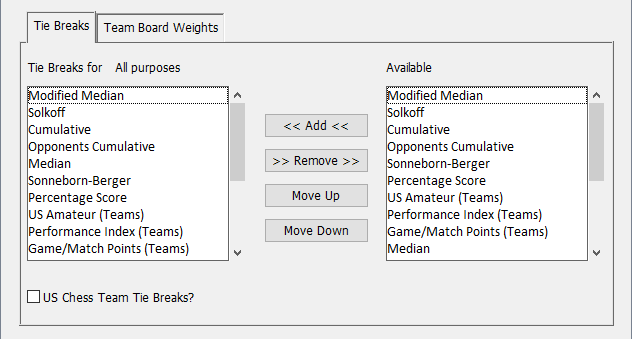
In the old format, there is a single tie break list which is used for all purposes. The first tie break method on the list which is appropriate for a given purpose is used as the first tie break. The next method in the list which is appropriate is used as the next tie breaker, and so on. To change the ordering, select one of the methods by clicking on it. Then click on either the Move Up or Move Down button to move the selected method up or down in the list. If you are doing a Team vs Team tournament, and you want to use a team-specific tie break as your main tie break for the team standings (such as the US Amateur (Teams)), be sure to put that first on the list—since it can only be used for Team vs Team tie breaks, it will be ignored for other purposes.
US Chess Team Tie Breaks?
This is a checkbox to override the implied order with the specific list of tie breaks specified for use by US Chess for team standings in scholastic individual/team sections.
Team Board Weights (PTO format)
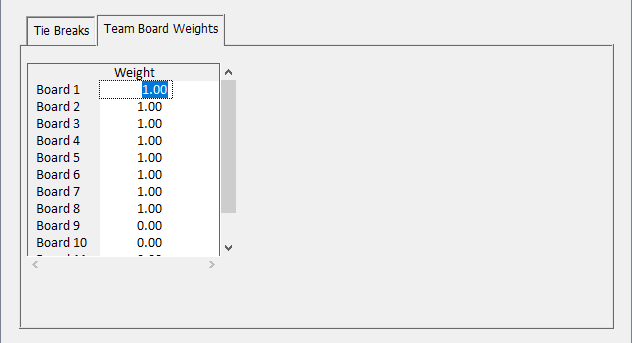
In the legacy format, the board weights for a board-weighted team tournament are managed at the tournament file level. (In the new format, they are managed at the section level and are part of the Team v Team tab on the Add/Edit a Section dialog). Note that these settings have no effect on individual, combined, or non-board-weighted team tournaments. The default value is 1.0 for all boards.
Note that with the old format, you can only specify weights for up to 12 boards. Teams can have more than 12 boards, but boards 13 and above will always have a weight of 1.0. Unlike the new format, you cannot have different sections in a single tournament file with different board weights.
Copyright © 2026 Thomas Doan