|
Wizards / Graph Settings Wizard |
Selecting Graph Settings from the Data/Graphics menu brings up the following dialog box, which allows you to control the font, size, and style of the various graph labels used in RATS.
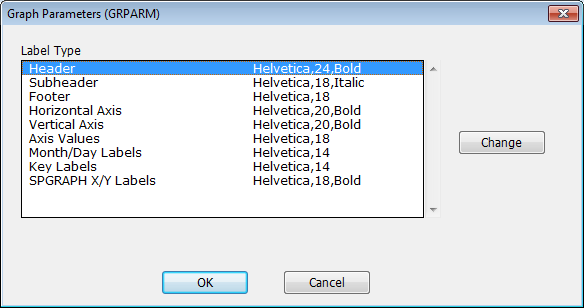
To change the settings for a particular label, either double-click on the label name, or select the name and click on Change. This will bring up a standard front selection dialog box that you can use to set the label attributes. Once you have made the desired changes, click on OK to generate a GRPARM instruction that implements those changes.
Note that this Wizard (i.e. the GRPARM instruction) only changes the label settings for the current session. If you want to change the default settings that will be used each time you start the program, use the Preferences operation.
Copyright © 2026 Thomas A. Doan